Make That Sound Guide markMake That Sound Guide

Make That Sound! · Roblox

Make That Sound! Roblox: start with your mic, then make the sound

Hear a mystery sound, recreate it with Voice Chat, and get rated live by other players — score, win streaks, stats, and leaderboards keep the loop competitive.

  1. Listen

    Mystery sound enters

  2. Recreate

    Voice Chat and mic

  3. Rate & streak

    Peers, then score rise

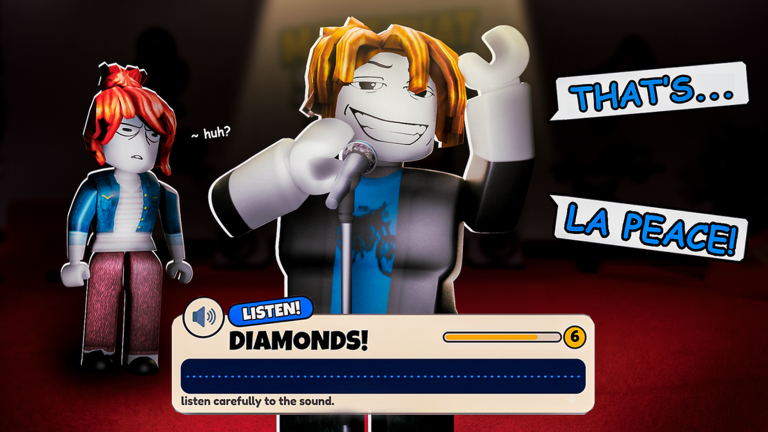
Game listing image

Attributed official thumbnail from the Roblox game listing — never used as this site's logo or favicon.

Official Make That Sound! Roblox listing thumbnail

Source: official Roblox listing

Quick facts

Creator
Buffboy Games
Place ID
118987420842355
Voice Chat required
Yes — mandatory to compete
Microphone required
Yes — mandatory to compete
Loop summary
Mystery sound → recreate with Voice Chat → live player ratings → score / streaks / stats / leaderboards

Source: official Roblox listing.

Start here

  1. Route 1

    Run the Mic Check

    Voice Chat and a microphone are required to compete.

    Open Run the Mic Check
  2. Route 2

    Learn how to play

    Know the listen → recreate → live-rating loop before you join.

    Open Learn how to play
  3. Route 3

    Check code status

    See the reported code and reward, then check it in-game.

    Open Check code status

Code-status sample

THANKYOU

150 Coins (reported)

Reported reward — check the in-game response

Public lists report this code and a 150-coin reward (RBLXDB and UrGameTips, checked 2026-10-16). The official listing says codes are posted in the creator group; no accessible official code list was found. Do not treat the reward as officially verified.

Code status sources checked: Full code status board
How a round works
  1. Step 1

    Listen

    Hear the mystery sound in the round.

  2. Step 2

    Recreate

    Reproduce it with Voice Chat and your mic.

  3. Step 3

    Live rating

    Other players rate how close you sounded.

  4. Step 4

    Score / streak

    Build score, win streaks, stats, and leaderboard standing.

Source: official Roblox listing. Diagram is original SVG/CSS — not game UI.

Current public pulse

Tracker snapshots disagree. These are public proxies, not exact audited counts.

RBLXDB

  • Current CCU: 407
  • Visits total: 6,098,345
  • Favorites: 32,991
  • 6.7-minute average session
  • 33 days old; 11 days since update

Public tracker snapshot; values can differ from RobloxTracker and are not audited counts.

RBLXDB source checked: · RBLXDB game page

RobloxTracker

  • Visits total: 7.22M
  • Favorites: 35,994
  • 90% like ratio
  • 2,900 tracked all-time peak

Public tracker snapshot; disagrees with RBLXDB on current/lifetime figures — treat as a proxy, not an official audit.

RobloxTracker source checked: · RobloxTracker

After this, do next

Before you redeem anything or join a competitive round, confirm Voice Chat and your microphone actually work.

Go to Mic Check